User Profile
The user profile displays a menu that allows you to view account details, contact the support team, view and navigate to other Valve applications, and sign out of the application.
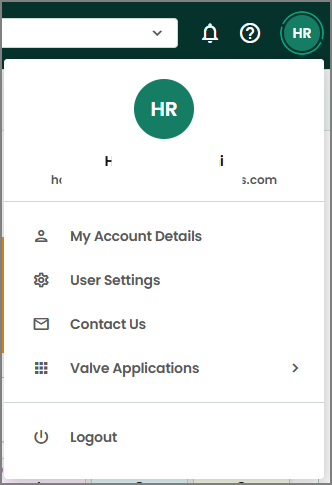
My Account Details
On clicking My Account Details, you will navigate to the page that displays your basic information and address.
User Settings
ValvCentral and VLM support multi-language functionality to improve accessibility for global users. A language dropdown in the User Settings panel allows users to select their preferred language. English is the default language, and seven additional languages are currently available—English, Simplified Chinese, French, Japanese, German, Spanish, Portuguese, Italian.
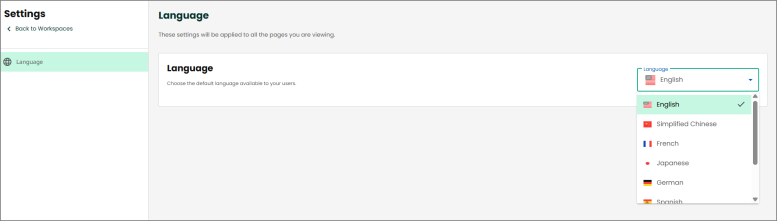
Click Back to Workspaces to go back to the home page.
Contact Us
The Contact Us link will open a new email to the support team to share your concerns or feedback.
Valve Applications
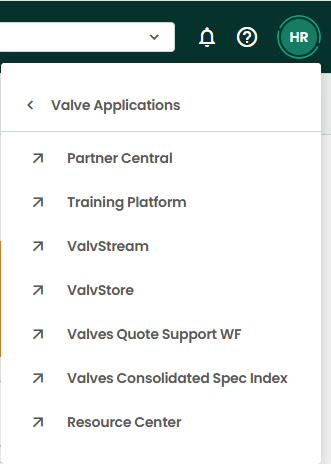
The Valve Applications is an app launcher that allows you to navigate to different valve applications.
Logout
Logout will allow you to sign out of the application.